Features
Flight School Software Features
Schedule lessons, track student progress, and organize instructor work in one place. Pilot Training Tracker connects your aircraft calendar, ACS training records, instructor timesheets, digital logbooks, and maintenance reminders.
Scheduling and dispatch
Run aircraft and instructor schedules from one board with drag-and-drop reservations, reminders, waitlists, dispatch states, check-out and check-in, and calendar sync.
Student progress and ACS tracking
Record ACS tasks after each lesson, review stage requirements, and show students what to work on next. Compare logged aeronautical experience with course requirements and share progress reports with authorized parents or sponsors. Instructors remain responsible for evaluating readiness and signoffs.
Quizzes and study workflow
Tie quizzes directly to ACS items, review attempts, give instructor feedback, and support students with an FAA-grounded AI coach.
Flight follow-up and logbooks
Check in reservations with Hobbs or Tach time and push usable totals into student and instructor logbooks.
Records, files, and reports
Manage TSA documents, school files, student records, and branded progress reports without leaving the training system.
Messaging and reminders
Keep students, instructors, and schools aligned with a dedicated inbox, unread counts, email reminders, and SMS reminders.
Maintenance visibility
Track aircraft maintenance reminders from Tach or Hobbs, surface due-soon and overdue warnings, and keep those alerts visible on the schedule.
Flight instructor timesheets
Collect instructor work hours by pay period, review submitted timesheets, and export records for payroll. Keep requested sick pay separate from training hours and manage time-off requests with school-admin approval.
Permissions and operations control
Use school and platform settings to control schedule access, dispatch workflow, messaging visibility, and school-level configuration.
FAA DPE finder
Search weekly imported FAA examiner records by city, airport, ZIP code, checkride, aircraft category, and distance.
Screenshot gallery
Walk through the actual product screens.
This gallery shows the live workflow across school operations, student progress, aeronautical experience, quizzes, the logbook, and the dispatch board.
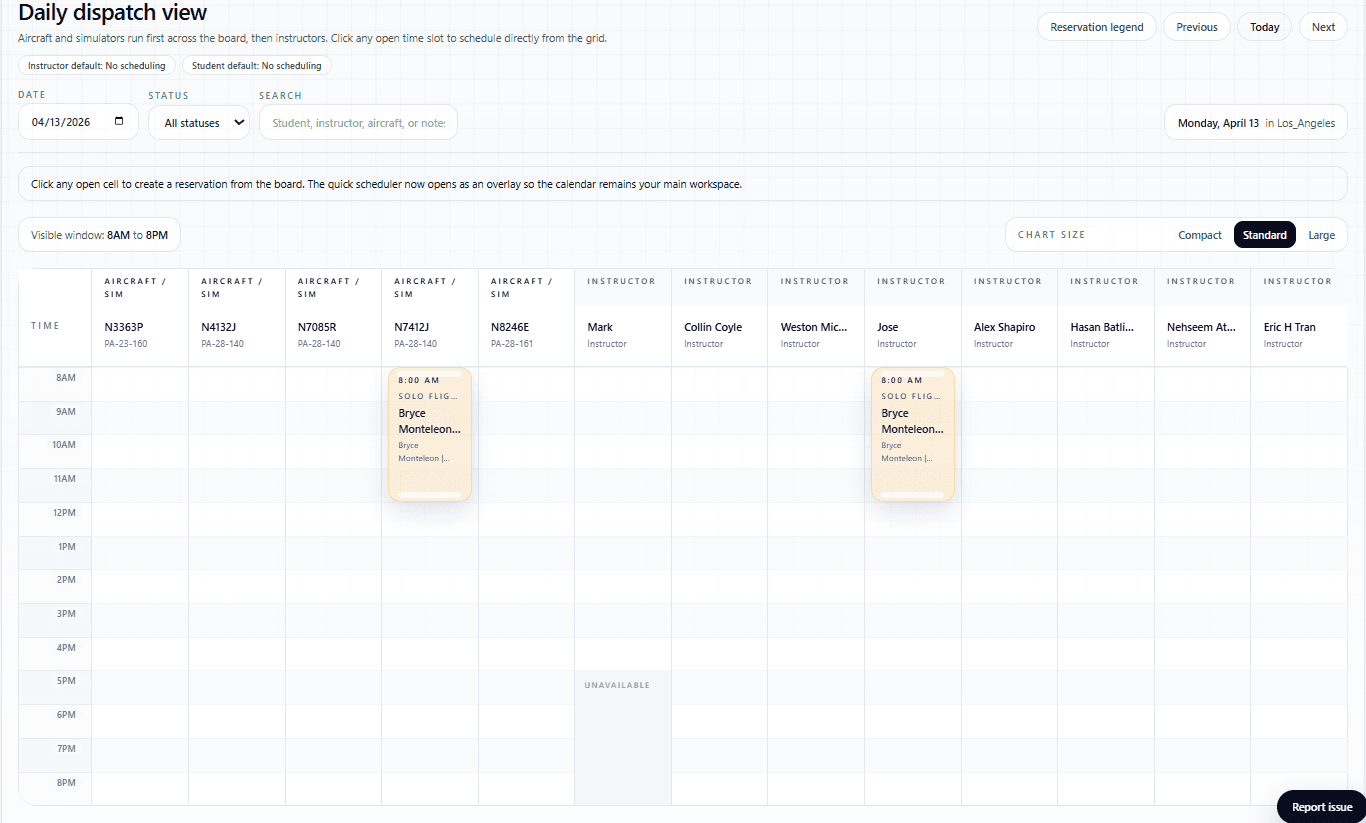
Daily dispatch board
Run the operation from a true schedule board with aircraft, instructors, reservation colors, visible time windows, and direct board actions.
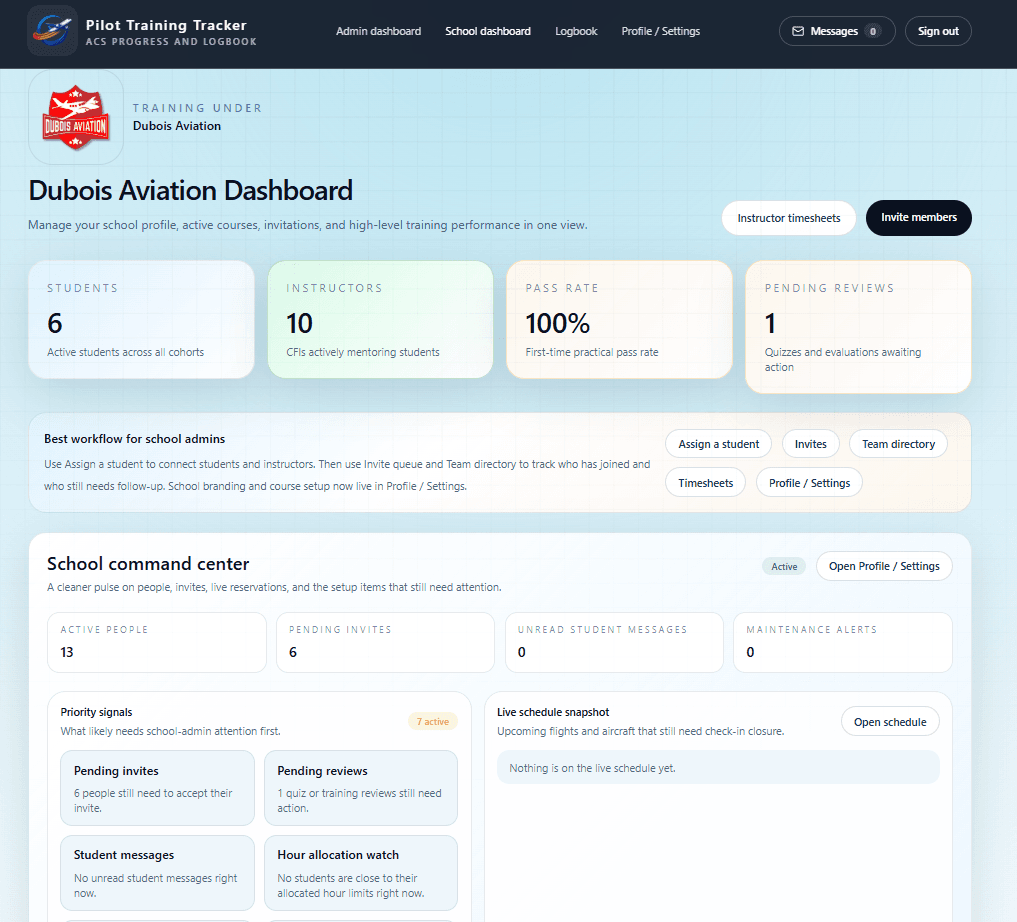
School dashboard command center
Give school admins one view for students, instructors, pending reviews, invites, maintenance alerts, and live schedule pressure.
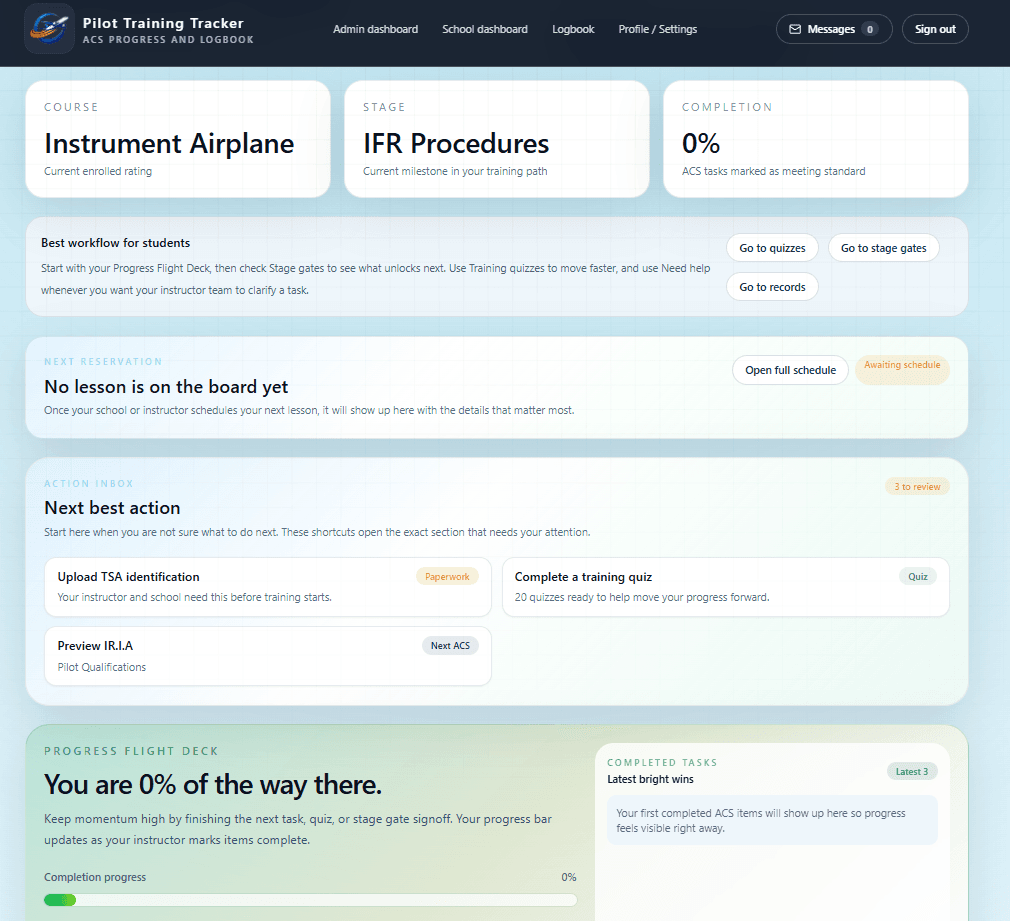
Student dashboard overview
Students see their course, next lesson, next action, and progress without digging through disconnected pages.
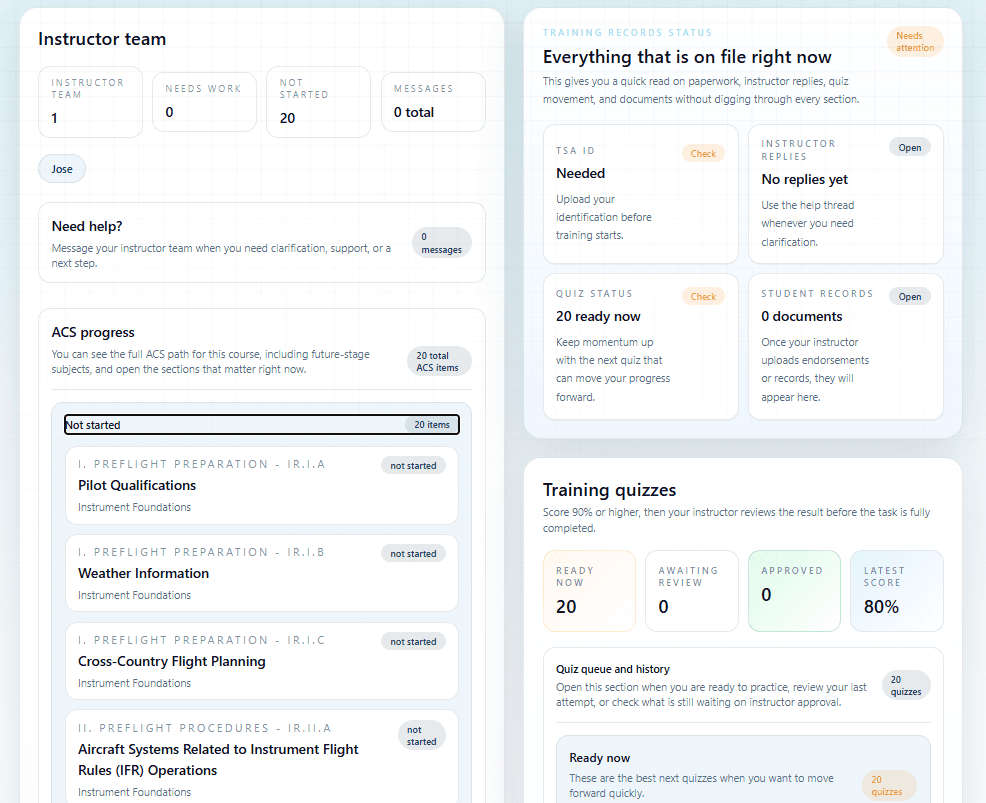
Progress, records, and ACS visibility
Keep the student experience anchored around ACS progress, paperwork status, instructor replies, and quiz movement.
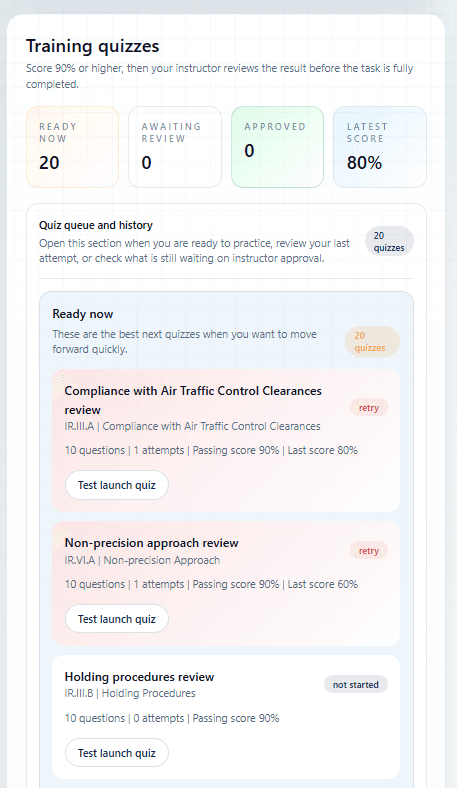
Training quiz workflow
Move students through quiz practice, retries, and instructor review with a queue that stays tied to training progress.
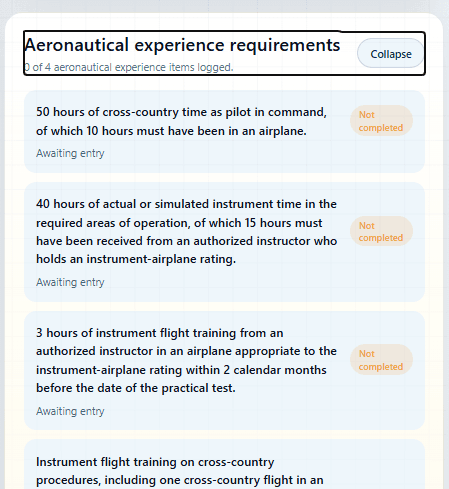
Aeronautical experience at a glance
Make requirements readable fast, with clear incomplete states and a path to expand for more detail.
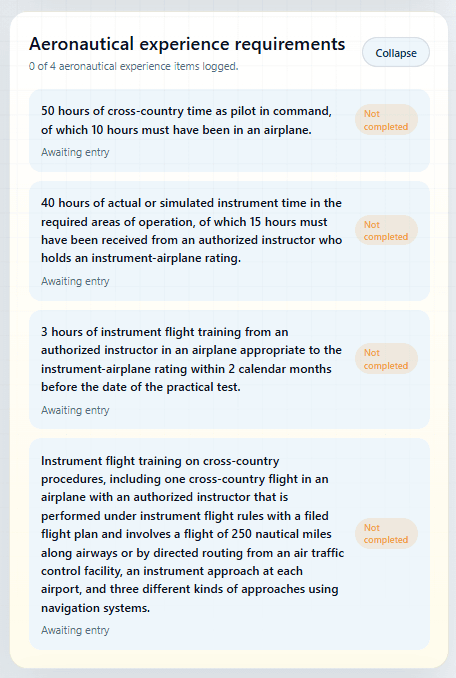
Expanded requirement tracking
Open the full aeronautical experience list when a student or instructor needs the exact language and current completion state.
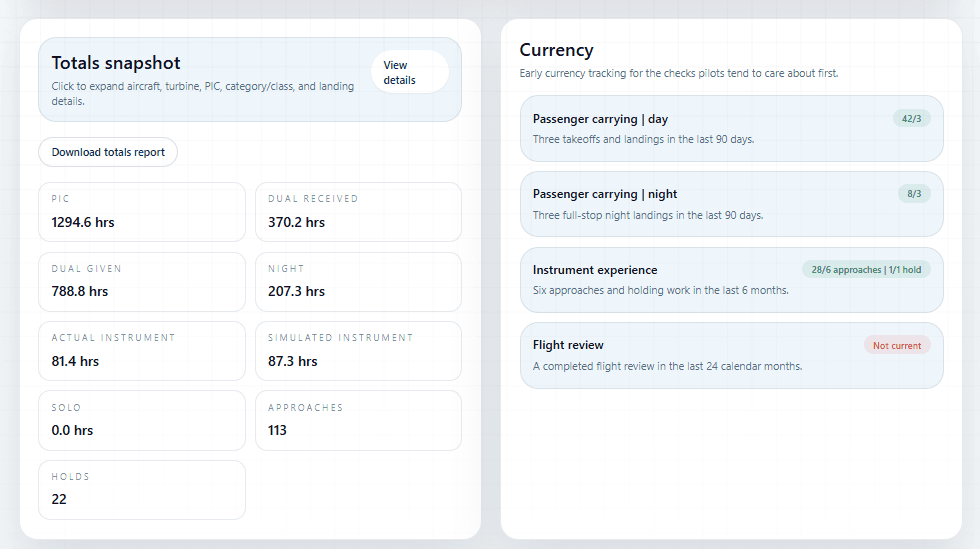
Logbook totals and currency
Turn the logbook into a practical pilot tool with totals, currency tracking, and fast access to the items pilots actually monitor.
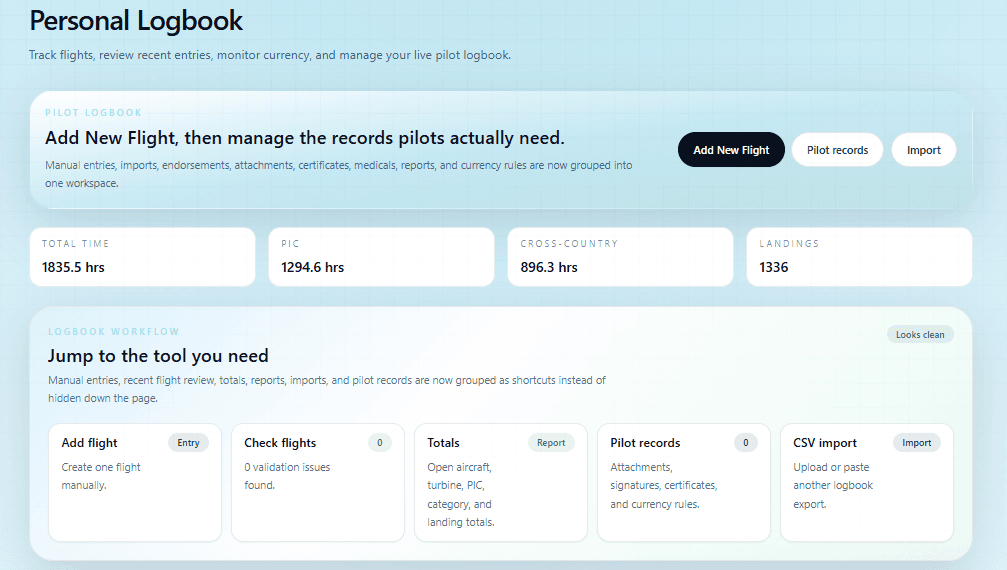
Personal logbook workspace
Bring manual entry, imports, totals, pilot records, and attachments together in one cleaner logbook surface.
Explore by need
Find the tools that fit your school or instructor business.
Flight school scheduling software
Coordinate aircraft reservations, instructor availability, dispatch, and maintenance reminders.
Open pageIndependent instructor software
Manage your students, lesson schedule, endorsements, and training records as an independent CFI.
Open pageFind a DPE near you
Find FAA Designated Pilot Examiners for private, instrument, commercial, CFI, CFII, and other practical tests.
Open pagePricing
Compare flight school and independent instructor plans to find the right fit.
Open pageSee the live workflow